The company name is confidential. The problem is not unusual
This project belongs to a company connected to the maritime and logistics sector. For confidentiality reasons, we do not publish its name, customers, documents or details that could expose its operation. What we can explain is the problem because it appears in many companies: an important workflow had grown around email, spreadsheets, messages, approvals and files that people had to move manually from one step to another.
None of those steps looked dramatic on its own. The problem became obvious across the full journey. One request could take up to four days because information had to be validated, documents reviewed, a response prepared, approvals obtained and data re-entered even when it already existed somewhere else.
The bottleneck was not a lack of people
When a process takes days, the first instinct is often to ask someone to do it faster. But if that person has to copy data between systems, chase approvals, search for document versions and ask in chat which step comes next, working faster only makes a small dent in the problem.
The objective here was different: remove repetitive steps, centralize information and let the system execute everything that did not require human judgment.
What we built without turning the CRM into a 200-screen monster
The CRM was designed around the company’s real workflow. Each request enters in a defined structure, moves through visible stages, keeps documents and data in one record and preserves a trace of what happened. Repeatable validations run automatically and stage changes can trigger actions without someone having to remember each one.
Roles, owners, templates, alerts and information generation were also organized so the team works from a common source. The goal was not to reproduce every old habit inside new software. It was to remove the habits that no longer made sense.
From 4 days to roughly 15 minutes
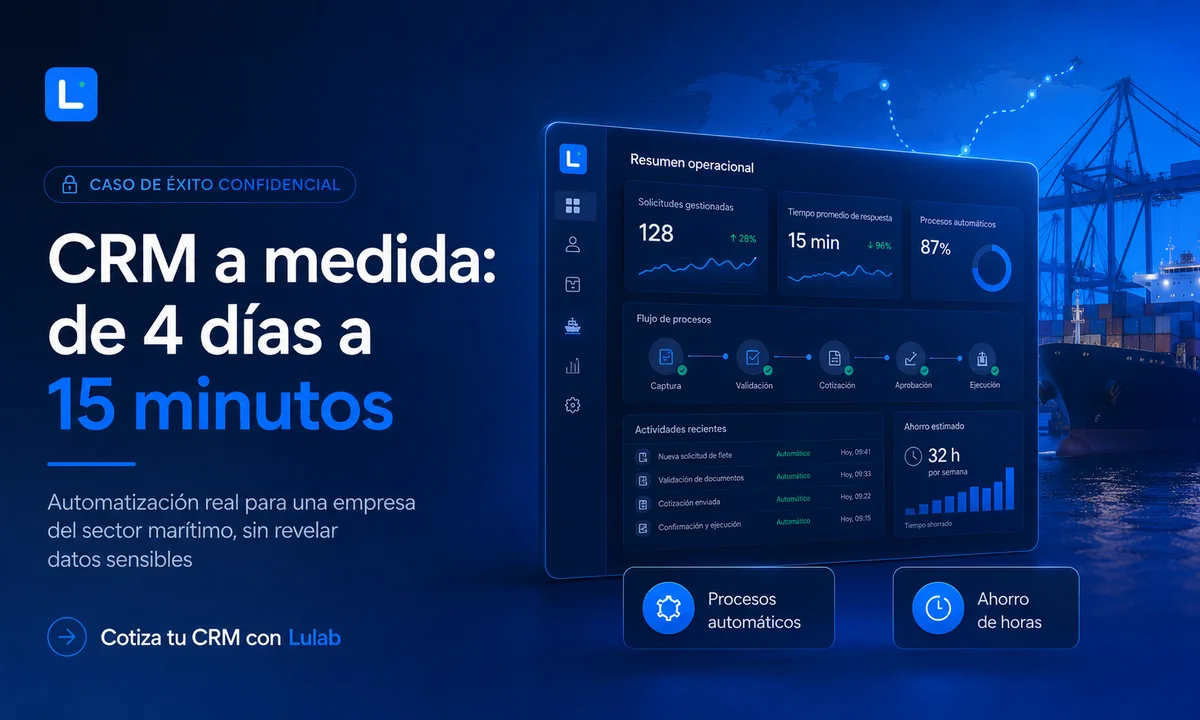
The most visible result was cycle time. A process that could consume up to four days of waiting and coordination can now be completed, under normal conditions, in around 15 minutes because validation and several steps are automated.
To put that in perspective without inflating the number: even if “four days” means four 8-hour working days, the change is from roughly 32 hours of cycle time to 0.25 hours. That is about a 99.2% reduction in the total journey. Measured against four calendar days, the percentage would be even higher.
That does not mean there used to be 32 hours of human labor
It is important to separate cycle time from person-hours. Part of those four days was waiting: someone had to respond, approve, review or find a document. The CRM did not “save 32 salary hours” on every operation. It compressed waiting, removed manual movement and allowed the next step to happen as soon as the information was ready.
That still has a major operational effect. Customers receive faster answers, the team can handle more cases without increasing administrative load at the same rate, and management can see what is blocked without asking across multiple chats.
The real savings come from small tasks repeated all day
Copying one value may take thirty seconds. Finding a file may take two minutes. Preparing an email, five. Asking whether a request was approved, another five. None of those tasks looks large enough to justify a software project, but repeated dozens or hundreds of times, they consume weeks of attention over a year.
Automation works particularly well there: predictable, repetitive tasks governed by clear rules. The team keeps the decisions that need judgment; the system handles moving information, checking conditions, logging events and preparing the next step.
Why custom CRM does not need to take a year to become useful
A common misconception is that custom software means building a giant ERP from day one. It does not have to. When the problem is well defined, the first version can focus on the workflow that is costing the most time or money and become useful much sooner.
Additional modules can be added when there is a concrete reason for them. That approach lowers risk, makes validation possible with real users and avoids paying for features nobody ends up using.
When a generic CRM starts to become the wrong shape
Standard tools are excellent when the company’s process looks like the process they were built for. Problems appear when the team needs ten improvised fields, external spreadsheets, fragile automations and manual workarounds to make the tool fit the operation.
If employees work inside the CRM but still need WhatsApp, Excel and email to complete the real process, the system may only be recording part of the work. That is when it is worth evaluating whether a custom solution could simplify the operation instead of adding another layer.
What changed for the company
The benefit was not a prettier screen. It was faster response, less dependence on individual memory, traceability, lower risk of skipped steps and an operation that is easier to supervise. The company also gained a base that can support new automation without rebuilding everything from zero.
When an important process moves from days to minutes, the software conversation stops being only “how much does it cost to build?” and becomes “how much does it cost to keep doing this the old way?” The second question is usually more useful.
If there is a process everyone in your company hates, it is probably worth mapping
You do not need to arrive at Lulab with a technical specification. Explain what comes in, who touches it, what must be validated, where it gets stuck and what result needs to come out. From there, we can separate what actually needs custom software from what can be solved with a simpler automation.
A custom CRM quote makes sense when the objective is concrete: save time, reduce errors, accelerate response or gain control over a process that is currently split across tools. If that sounds familiar, we can map the workflow before talking about screens.